Looks like part of Windows
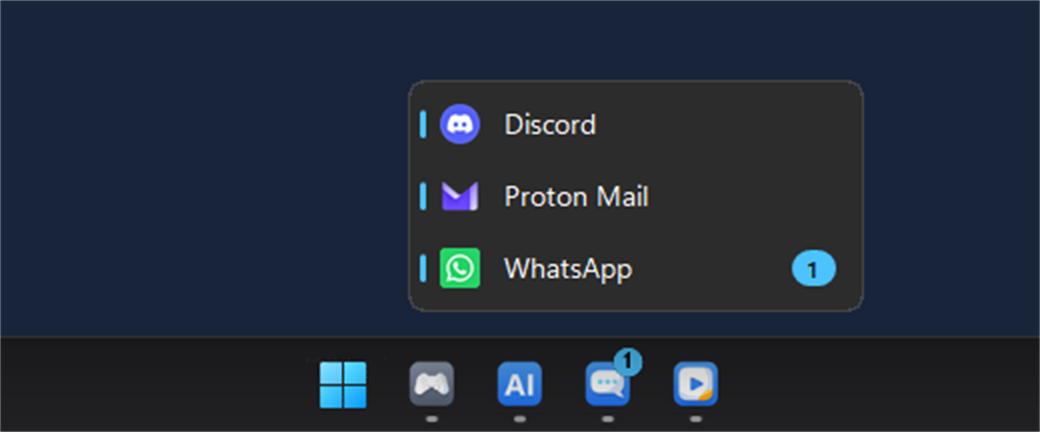
A drawer opens as a clean menu above the taskbar, in light or dark, on every monitor.
EARLY ACCESS · WINDOWS 11
Pin a drawer to your taskbar. Click it and the apps for that job drop down, like a menu Windows made itself.
Download for Windows 11Free with one drawer. Version 1.14.5, 2.4 MB. Installs just for you, with no administrator prompt, and uninstalls from Settings > Apps.
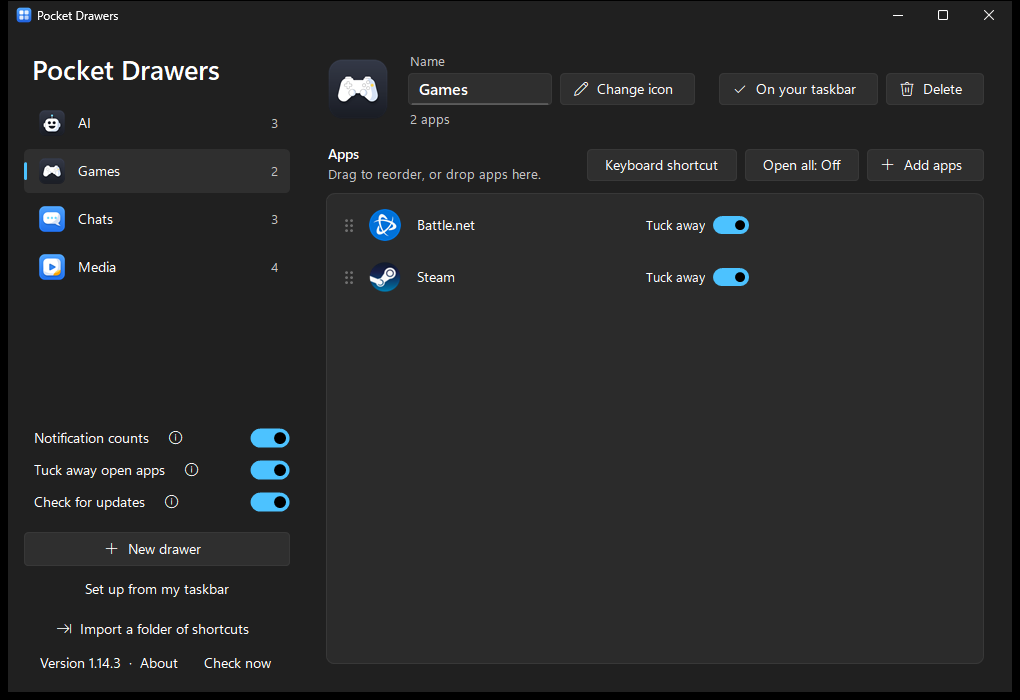
Games in one drawer, chat apps in another, work in a third. Your taskbar stays short, and everything is still one click away.
A drawer opens as a clean menu above the taskbar, in light or dark, on every monitor.
Pick a colour and symbol, use an app's own icon, type a short label, or choose from 240 drawn pictures.
No account and no tracking. Your drawers stay on your PC. The only thing Pocket Drawers does online is look for a new version, and you can switch that off. We count those checks by version, with nothing about you or your PC.
BEFORE YOU INSTALL
Pocket Drawers is new, and its installer is not yet signed with a publisher certificate. Windows shows a blue "Windows protected your PC" box for apps like that. It is a caution about an unfamiliar file, not a report of anything wrong with it.
To check the file is exactly the one we published, compare its SHA-256 fingerprint with this one:
3e19ea89f71ddb8066a43fd1e823101b522d6451ea3ad61745087dba352c15ebIn PowerShell: Get-FileHash PocketDrawersSetup-1.14.5.exe
The free version gives you one drawer to keep. The full version, coming soon, adds unlimited drawers, notification counts on each drawer, tucking open apps away, keyboard shortcuts and all the artwork.
Contact us